 FTPeach
Portable version
Choose the portable download when you want to keep FTPeach and its settings in one folder, for example on a removable drive.
On this page
Start and carry a portable copy
- Download the portable zip from the website.
- Unpack the whole archive into a writable folder, then start FTPeach from
that folder. Keep the
FTPeach.portablemarker beside the program. - When moving the copy, keep its
datafolder with it. This is where your settings, bookmarks and saved passwords live. - If you need saved passwords on another computer, set a master password first and make sure you remember it. Without one, those passwords remain tied to the original computer.
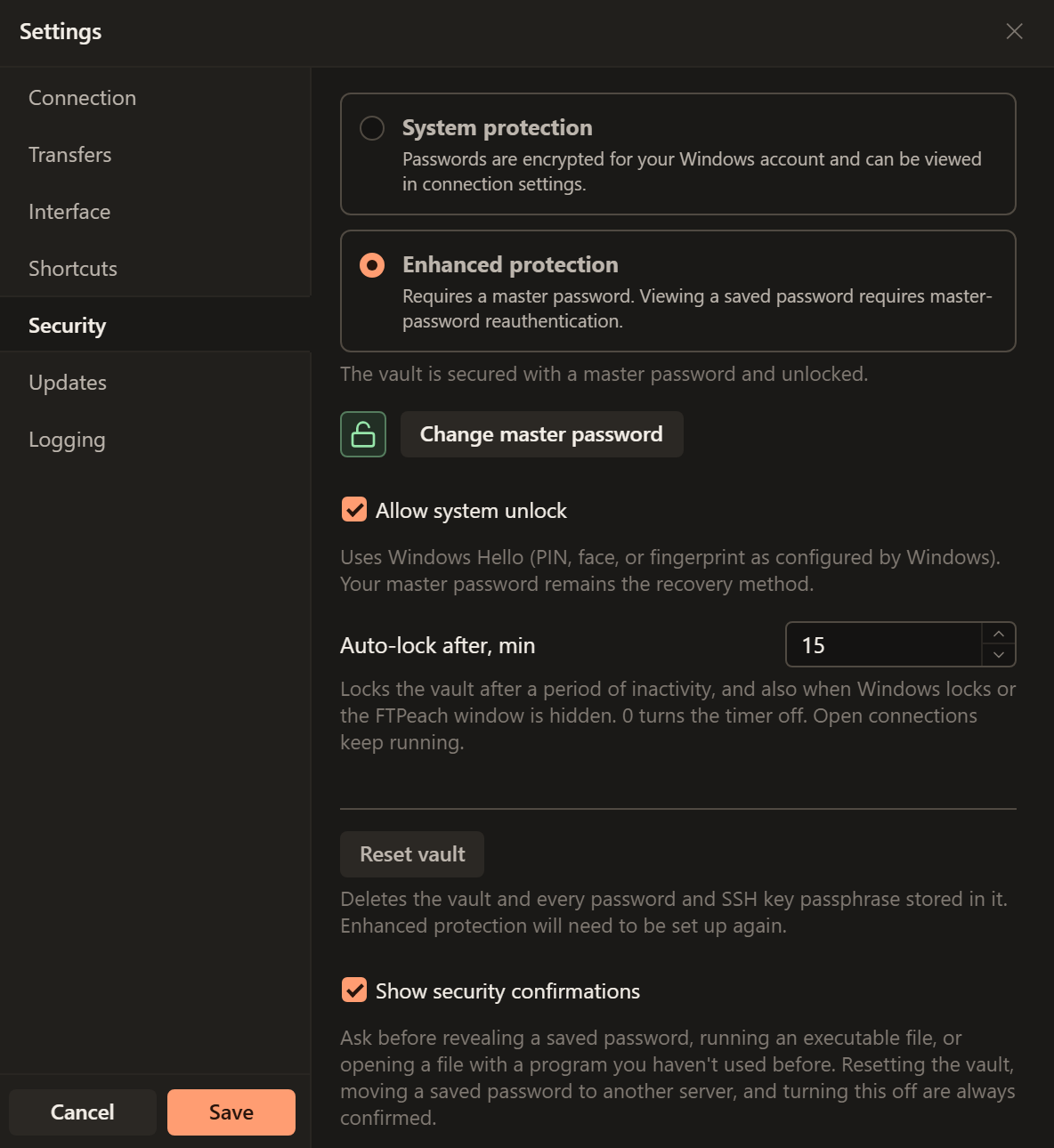
A master password, set in Settings > Security, is what lets saved passwords travel with the copy.
To bring connections into a different installation instead, use export and import.
Key and certificate files
A key or certificate file chosen from inside the program's folder is found again after the folder is moved or its drive gets another letter. A file kept anywhere else has to be at the same path on every computer.
Update a portable copy
Use Check Now or the update notification, just
as with an installed copy. An update replaces the program and leaves the data
folder as it is.
An update that does not carry FTPeach's release signature, is not newer than your version, or would write outside the program's folder is refused, and nothing changes.